Master Game Feel: Squash & Stretch Components
Build a reusable squash-and-stretch system that makes hits, jumps, and UI response easier to feel. Full setup with animation gates, timers, and interpolation.

Grouped by production problem, not by engine. Each tutorial solves a specific practical issue, while showing the thinking behind the quick tips.
Build a reusable squash-and-stretch system that makes hits, jumps, and UI response easier to feel. Full setup with animation gates, timers, and interpolation.
Learn the Material Editor from scratch, then move into PBR materials, textures, shortcuts, workflow, and material instances.
Understand the lighting tools, rendering setup, and presentation passes that make a scene readable instead of merely visible.
Create and sculpt landscapes, build world materials, place foliage, use post-process, and assemble a complete environment setup.
Menus, failure states, feedback passes, and the final 20% of work that changes how your project is judged by studios and peers.
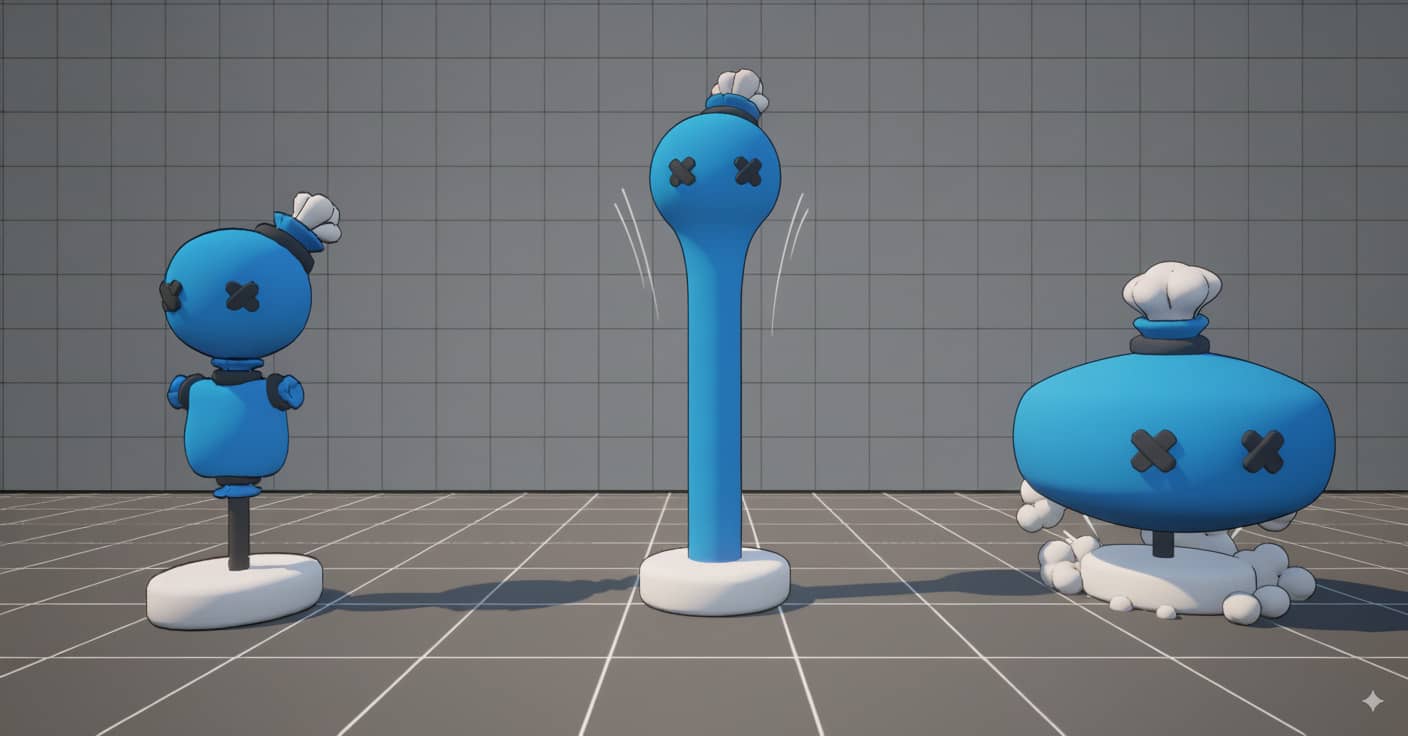
A step-by-step breakdown of building a squash-and-stretch system from scratch. You will learn animation gating, timer-driven interpolation, trigger-based control, and custom variables designers can tune without touching code.
Includes screenshots covering class setup, event tick connection, alpha calculation, scale interpolation, and the reset/return pipeline.
Read the full tutorialGet occasional updates about new tutorials, course plans, and useful releases.